Show/Hide Add-Ons in Portal
Parks & Rec > Class > Create (or Search > Edit)
Parks & Rec > Rental Item > Create (or Search > Edit)
A Show in Portal check box column has been added to the Add-Ons grid on the Class Create, Class Details, Rental Item Create and Rental Item Details pages:
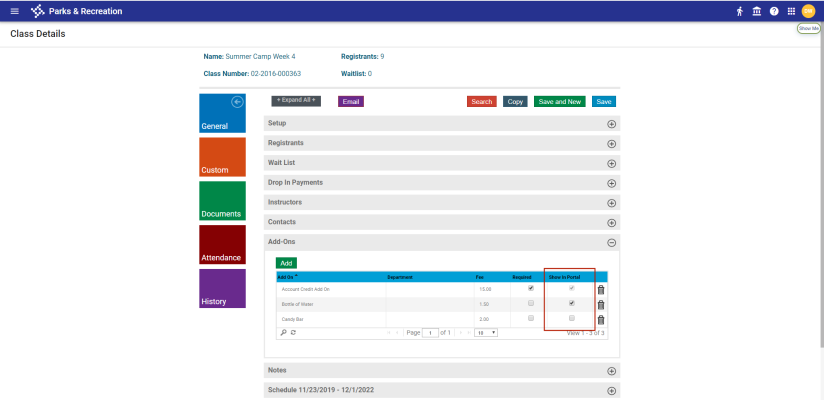
When a Show in Portal check box is selected, the corresponding add-on item is shown during the registration process from the citizen portal.
The check box is selected and disabled by default.
To have an add-on item hidden during registration, clear the Required check box, then the Show in Portal check box.